No products in the cart.

A website redesign can improve clarity, credibility, and conversions, but it can also affect search visibility when important pages, URLs, or content are changed without a plan.
Website redesign SEO is the process of identifying search-related risks before a redesign and taking practical steps to reduce them. It cannot guarantee that rankings or traffic will stay the same, because search performance can change for many reasons. It can help you make informed changes, preserve valuable signals, and respond quickly when results shift.
For most small businesses, the practical approach is to assess the current site first, then choose between staged improvements and a larger rebuild. The aim is to reduce avoidable search disruption while making changes that improve the business.
Start With What Search Engines and Visitors Already Use

Before changing the design, identify the pages that currently attract search traffic, generate inquiries, or support important business decisions. These pages deserve special attention during the redesign.
A page may be valuable even if it does not rank for a major keyword. It might receive qualified visitors, link to important services, answer a common customer question, or help people decide to contact you.
Review:
- Organic traffic to individual pages
- Search queries and rankings
- Contact form submissions or calls
- Backlinks to important URLs
- Pages that support your primary services
- Pages visitors commonly view before contacting you
A local photographer, for example, may discover that an older “wedding photography” page brings in more qualified visitors than the homepage. Replacing that page with a shorter portfolio page could make the site look better while reducing its ability to attract inquiries.
The redesign should begin with this inventory, not with a blank sitemap.
Decide What Kind of Redesign the Site Actually Needs

Not every website problem requires a full rebuild. The right level of change depends on what is preventing the site from performing well.
Improve the existing site when the foundation works
A focused improvement is usually appropriate when the site has:
- A workable content management system
- Stable URLs
- Useful existing service pages
- A structure visitors can understand
- Problems that are mainly visual, editorial, or usability-related
In this situation, improve page layouts, navigation, calls to action, internal links, mobile usability, and page speed while keeping valuable URLs and content intact.
Redesign more substantially when the structure is failing
A larger redesign may be justified when the site has confusing navigation, duplicated pages, outdated templates, poor mobile behavior, severe technical issues, or a structure that no longer matches the business.
Even then, a new design should not mean deleting the site’s history. Map the old pages to the new structure and decide which content should be kept, combined, rewritten, redirected, or retired.
A website with separate pages for every minor variation of the same service may benefit from consolidation. A website with one vague services page may need the opposite: clearer pages for each important offer.
Reduce URL-Related Risk During the Redesign

Changing URLs creates additional SEO work and introduces risk. If an existing URL is clear, relevant, and performing well, keep it during the redesign.
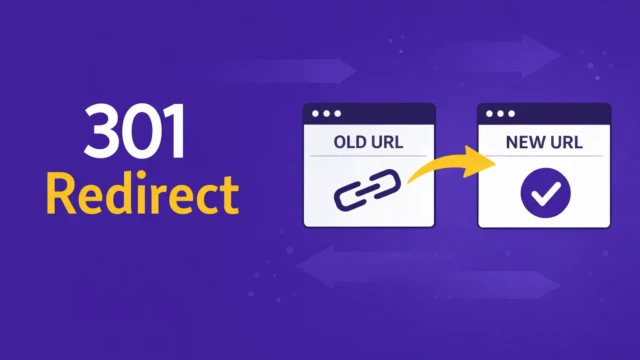
When a URL must change, create a direct 301 redirect from the old address to the most relevant new page. Avoid sending every old URL to the homepage. That gives visitors a poor experience and does not clearly communicate the relationship between the old and new pages.
A redirect map should include:
| Old URL | New URL | Action |
|---|---|---|
/services/brand-strategy/ | /brand-strategy/ | Redirect |
/about/ | /about/ | Keep |
/old-blog-post/ | /related-guide/ | Redirect if substantially relevant |
/unused-offer/ | None | Retire if no useful replacement exists |
Do not redirect pages simply because they have low traffic. First check their links, rankings, conversions, and role in the site structure.
Keep the Content That Supports Search Intent
A redesign often removes content in the name of simplicity. Some editing is healthy, but cutting useful information can make a page less relevant to the people searching for it.
Each important page should make clear:
- What the business offers
- Who the service is for
- What problem it solves
- What the visitor should do next
- Why the business is a credible option
This does not require long pages or repetitive keyword usage. It requires enough specific information to answer the visitor’s question and support a decision.
For instance, a bookkeeping firm should not replace a detailed small-business bookkeeping page with only a headline, a photo, and a contact button. The redesigned page should still explain the service, the types of businesses served, the process, and the next step.
Improve the Technical Experience Without Chasing Scores

A redesign is a good opportunity to improve mobile usability, page speed, accessibility, and technical consistency. These changes matter because they affect both visitor behavior and how search engines understand and access the site.
Prioritize practical improvements:
- Clear heading structure
- Descriptive page titles and meta descriptions
- Crawlable navigation links
- Fast-loading images
- Responsive layouts
- Readable text and sufficient contrast
- Stable layouts that do not shift as pages load
- Accurate canonical URLs
- A functioning XML sitemap
- A helpful 404 page
Performance scores can identify issues, but they are not the entire SEO strategy. A fast website with unclear service pages may still perform poorly. Fix problems that prevent pages from loading, being crawled, or being used on mobile first. Then improve the pages, links, and explanations that help the right visitors choose the business.
Manage the Launch as an SEO Project

A redesign can change search performance even when the work is carefully planned. The goal of launch preparation is to reduce avoidable problems, establish a clear baseline, and make changes easier to diagnose afterward.
Before launch, record the current state of the site. Save the important URLs, top landing pages, main search queries, organic traffic, conversions, indexed-page count, and known crawl errors. Then confirm that the new site includes the intended pages, titles, headings, internal links, redirects, image text, canonical settings, sitemap, and analytics or conversion tracking. Check that staging pages are not accidentally left blocked from search engines after launch.
Do not judge the redesign from one day of rankings or traffic. Review the first week for technical failures, the first month for indexing and landing-page changes, and the following months for broader search and conversion trends. If visibility declines, compare the affected URLs, queries, content, redirects, templates, and tracking before changing more pages.
Before launch, confirm that the new site includes the intended pages, titles, headings, internal links, redirects, image text, canonical settings, sitemap, and analytics or conversion tracking. Check that staging pages are not accidentally left blocked from search engines after launch.
After launch:
- Test important old URLs and redirects
- Confirm that key pages load correctly
- Check forms, phone links, and booking links
- Review crawl errors and indexing status
- Compare traffic and conversions with the previous period
- Watch important rankings for several weeks
- Fix unexpected 404 errors or redirect chains
Some changes in rankings are normal after a redesign. A sharp or sustained decline usually deserves investigation rather than immediate additional redesign work.
Common Website Redesign SEO Mistakes

The most damaging redesign mistakes usually happen when SEO is treated as a final checklist instead of part of the planning process. These errors can affect search visibility, visitor trust, and your ability to understand what changed after launch.
Treating the redesign as purely visual
A new layout can change headings, copy, navigation, links, URLs, and page templates. Treating design and SEO as separate projects makes it easy to remove information search engines and visitors rely on.
Include SEO decisions in the sitemap, content, design, and development process from the beginning.
Deleting pages without reviewing their value
Low-traffic pages can still rank for useful searches, attract links, or support conversions. Review the evidence before removing them.
Keep, improve, combine, or redirect pages based on their purpose and relevance.
Replacing specific service content with broad claims
Shorter copy is not automatically clearer. Statements such as “helping businesses grow” do not explain what the business does or who should contact it.
Use direct language that describes the service, audience, location where relevant, and practical outcome.
Launching without a redirect map
If old URLs disappear without appropriate redirects, visitors may encounter broken pages and search engines may lose the connection between old and new content.
Create and test the redirect map before launch, then review real crawl errors afterward.
Changing too many variables at once
A complete platform change, new URL structure, rewritten content, new navigation, and new design make problems difficult to diagnose.
When possible, separate major changes or document them carefully so you can identify what improved performance and what caused problems.
How to Choose the Right Redesign Approach

Use a staged redesign when the current site has valuable content and a workable foundation. Improve the highest-value pages first, then update templates and supporting pages based on what you learn.
Choose a larger rebuild when the site has structural or technical problems that cannot be fixed efficiently within the current system. In that case, reduce avoidable SEO disruption with a page inventory, URL map, redirect plan, content review, and post-launch monitoring.
For many small businesses, the practical decision is not “old site or completely new site.” Start with a staged improvement when the foundation works, and the main problems are clarity, usability, or conversion. Choose a larger rebuild when the current structure or technology prevents those problems from being fixed efficiently.
Putting This Into Practice
Start by exporting or listing your important URLs. Mark each page as keep, improve, combine, redirect, or retire, then identify the pages that receive search traffic or generate business.
Use that list to guide the redesign, then keep it as your post-launch comparison point. Review technical issues first, content and indexing second, and rankings and conversions over a longer period before deciding whether the redesign needs further changes.
Work With TCB Studio
TCB Studio helps small businesses plan website improvements around search visibility, content structure, usability, and practical business goals. If you are considering a redesign, we can review the current site, identify what should be preserved, and create a clear path for improving the pages that matter most. View our SEO services to get started.