No products in the cart.
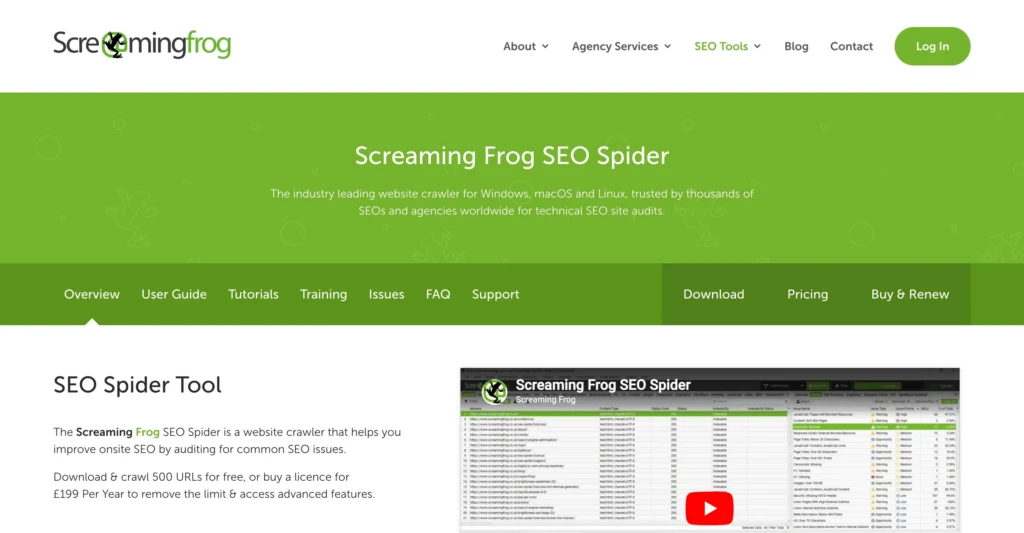
Screaming Frog SEO Spider is a website crawler used for technical SEO audits. It helps you scan a website, find hidden problems, and understand how search engines may be reading your pages.
For small business owners, creators, freelancers, and consultants, Screaming Frog is useful because it turns vague SEO problems into specific issues you can actually identify and fix. Instead of guessing why a site has broken links, duplicate page titles, missing meta descriptions, or messy redirects, you can run a crawl and review the results.
What Is Screaming Frog SEO Spider?
Screaming Frog SEO Spider is a desktop SEO tool that crawls websites and collects technical information about each page.
When you enter a website URL, the tool follows internal links across the site. As it crawls, it collects data about page titles, meta descriptions, headings, status codes, redirects, images, canonicals, internal links, and other SEO-related elements.
In plain English, Screaming Frog helps you see your website the way a search engine crawler might see it.
That matters because a website can look fine to a normal visitor while still having technical problems beneath the surface. A page may load correctly in your browser but still lack a title tag. A service page may exist, but have very few internal links pointing to it. An old blog post may link to a page that no longer exists.
Screaming Frog helps surface those problems in a way that is easier to review and act on.
Why Screaming Frog Has Been an Important SEO Tool for Years
Screaming Frog has been around for a long time and remains a standard tool for SEO professionals. It is not built around one trendy SEO feature or marketing gimmick. It is a useful crawler that helps with the technical cleanup every website needs.
That is why it is still used by agencies, consultants, publishers, ecommerce teams, and in-house marketers. Websites naturally get messy over time. Pages get deleted, URLs change, plugins add extra pages, redirects pile up, and content gets published without a consistent structure.
For a small business, those issues may not feel urgent at first. But over time, they can affect how easily the site is to crawl, how clearly search engines understand it, and how smoothly visitors move through the website.
Screaming Frog gives you a way to inspect that structure instead of relying on guesswork.
What Makes Screaming Frog Different From Other SEO Tools
Many SEO tools focus heavily on SERP rankings, keyword tracking, and reporting dashboards. Screaming Frog differs from other tools because it focuses on crawling and inspecting a website’s technical structure. That makes it especially useful for troubleshooting.
For example, a keyword tool may tell you a page is losing traffic, while Screaming Frog can help uncover technical issues behind it, such as broken internal links, redirect problems, or incorrect canonicals.
This is one reason Screaming Frog remains widely used, even among experienced SEO teams that use larger platforms like Ahrefs or Semrush. It solves a different problem and can be run locally without incurring expensive crawl charges.
What Screaming Frog Can Check
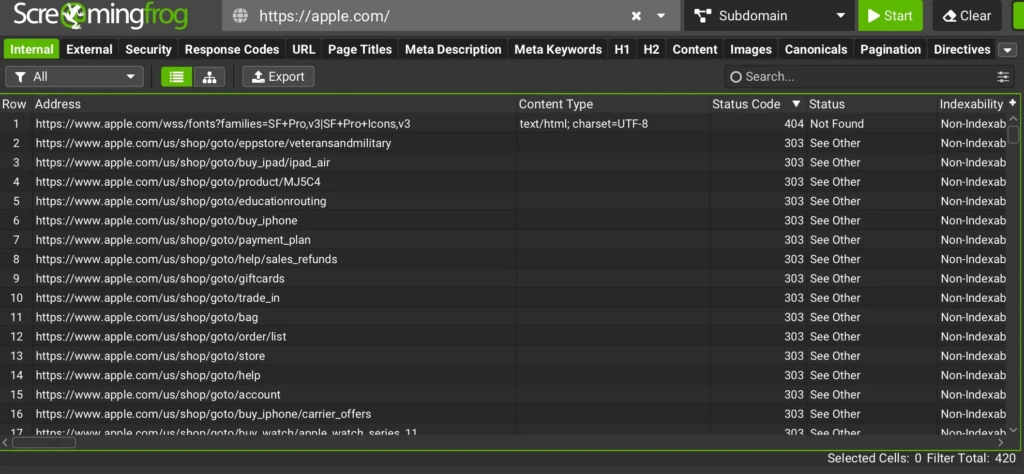
Screaming Frog can check many things, but beginners should focus on the basics first. You don’t need to understand every tab in the tool to get value from it.
The most useful checks for small business websites typically focus on broken links, metadata, redirects, internal linking, images, and indexability.
Most beginners will spend the majority of their time working with reports like these:
| Area | What It Helps You Find |
|---|---|
| Broken links | Pages or links returning 404 errors |
| Page titles | Missing, duplicate, short, or overly long titles |
| Meta descriptions | Missing or duplicate descriptions |
| Redirects | Redirect chains, loops, and outdated internal links |
| Internal links | Important pages that are buried or poorly connected |
| Image alt text | Missing alt text or oversized image files |
| Indexability | Pages that may be blocked from search engines |
| Canonical tags | Pages pointing search engines to the wrong preferred URL |
These checks are useful because they connect directly to website maintenance. You are not just looking at abstract SEO data. You are finding specific problems that may affect visibility, usability, or site quality.
Basic Tests To Run With Screaming Frog
A good beginner workflow should be simple. Start with a crawl, then look for problems that are easy to understand and worth fixing.
Check for Broken Links
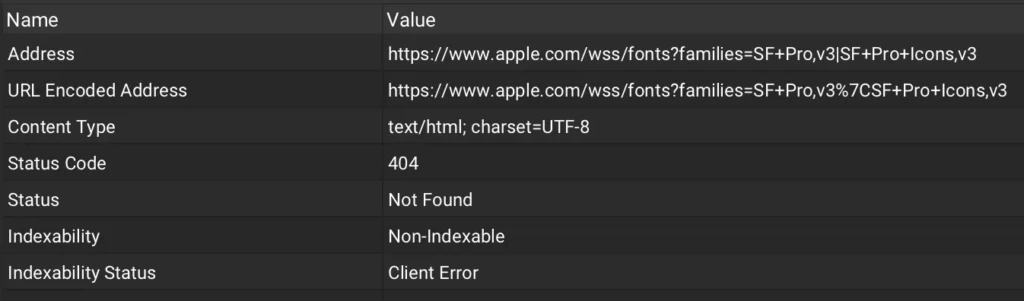
Broken links are one of the simplest issues to find with Screaming Frog.
After crawling your site, review pages that return 404 errors. These are pages that no longer exist or cannot be found. Then check where those broken URLs are linked from.
This is useful because broken links create a poor user experience and waste crawl paths for search engines. A small business site might have old blog posts linking to retired service pages, outdated PDF files, or pages removed during a redesign.
Fixing these links usually means updating the link, restoring the missing page, or setting up an appropriate redirect.
Review Page Titles
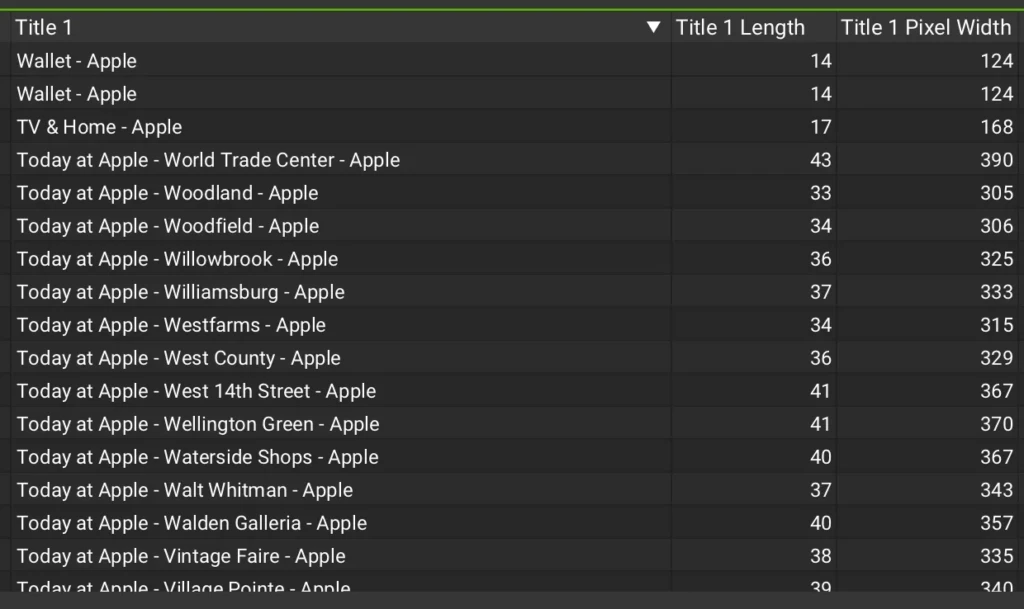
Page titles help search engines and users understand what each page is about.
Screaming Frog can show you which pages have missing, duplicate, short, or overly long title tags. This is one of the most practical checks for a small website because title issues are common and usually fixable in WordPress or another CMS.
A good page title should clearly describe the page. For example, a service page should not just say “Services”. It should describe the specific service and, when appropriate, include the business or location context.
Review Meta Descriptions
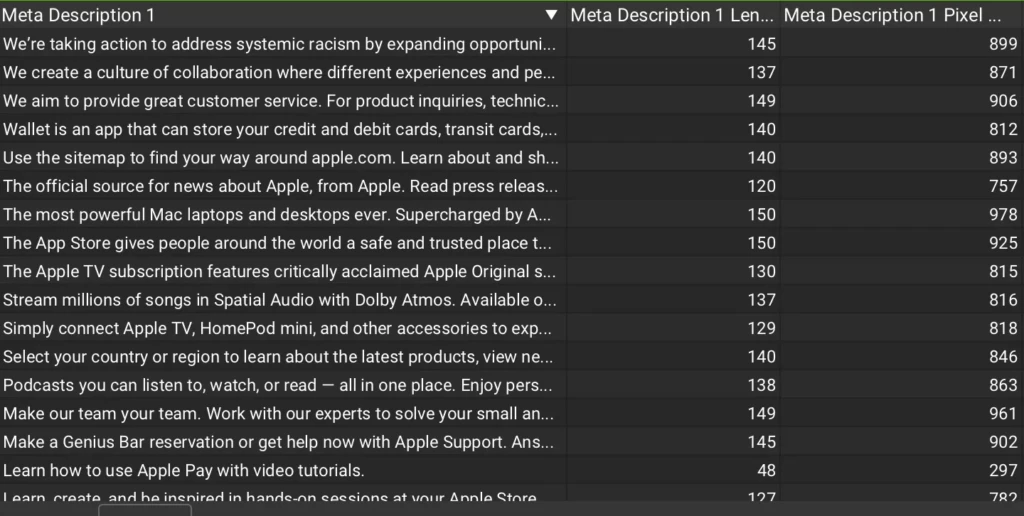
Meta descriptions do not directly control rankings, but they can influence how your pages appear in search results.
Screaming Frog can help you find missing or duplicate meta descriptions. This is useful because many websites use default descriptions, duplicate descriptions, or no descriptions at all.
You do not need to obsess over every description on the site. Start with the most important pages, such as your homepage, service pages, product pages, and high-traffic blog posts.
Check Redirects
Redirects are normal when pages move or URLs change. The problem is when redirects become messy.
Screaming Frog can help identify redirect chains, redirect loops, and internal links pointing to redirected URLs rather than the final destination.
For small business websites that have gone through redesigns, redirect cleanup can be one of the most valuable technical SEO tasks.
Review Internal Linking
Internal links help users and search engines move through your site.
Screaming Frog can show how pages connect to each other and how many clicks it takes to reach important pages. This helps you identify pages that are buried too deeply or not linked well from other relevant content.
This is especially useful for blogs and service-based websites. If your blog posts answer questions related to your services, they should naturally connect readers to relevant service pages. If important pages have very few internal links, they may not be getting enough support from the rest of the site.
Check Images
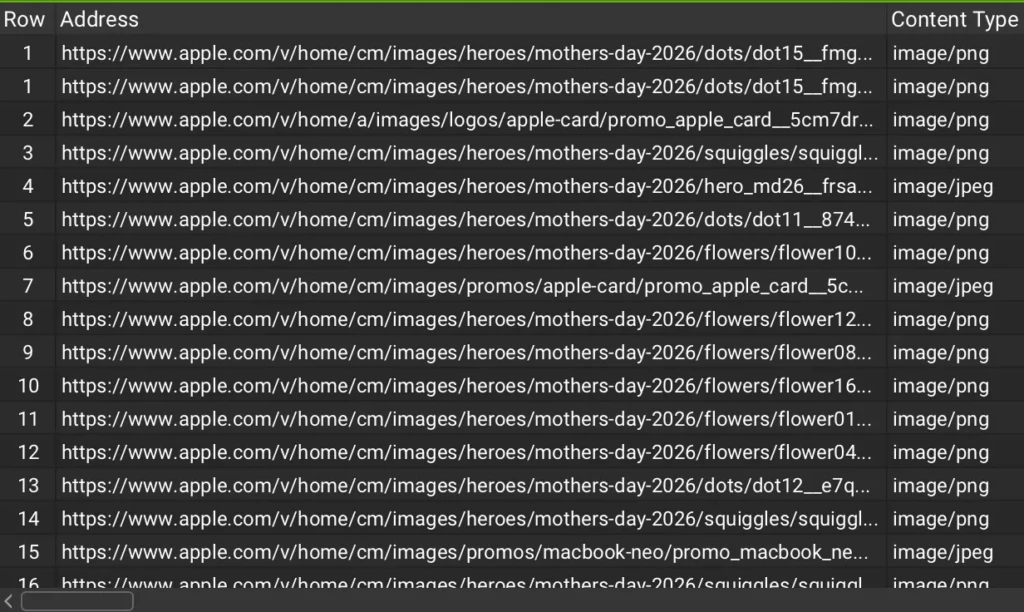
Screaming Frog can also help identify image issues, including missing alt text and large image files.
This is useful for accessibility, image SEO, and performance. Many WordPress sites collect oversized images over time, especially when images are uploaded directly from cameras, design tools, or stock libraries without compression.
For a beginner, the goal is not to perfectly optimize every image at once. Start with important pages and large files that may be slowing the site down.
Tip: Use our Free Image Optimizer tool to convert your images into SEO-friendly formats. It’s designed to deliver high-quality, fast-loading images with a simple workflow.
What a First Screaming Frog Audit Usually Looks Like
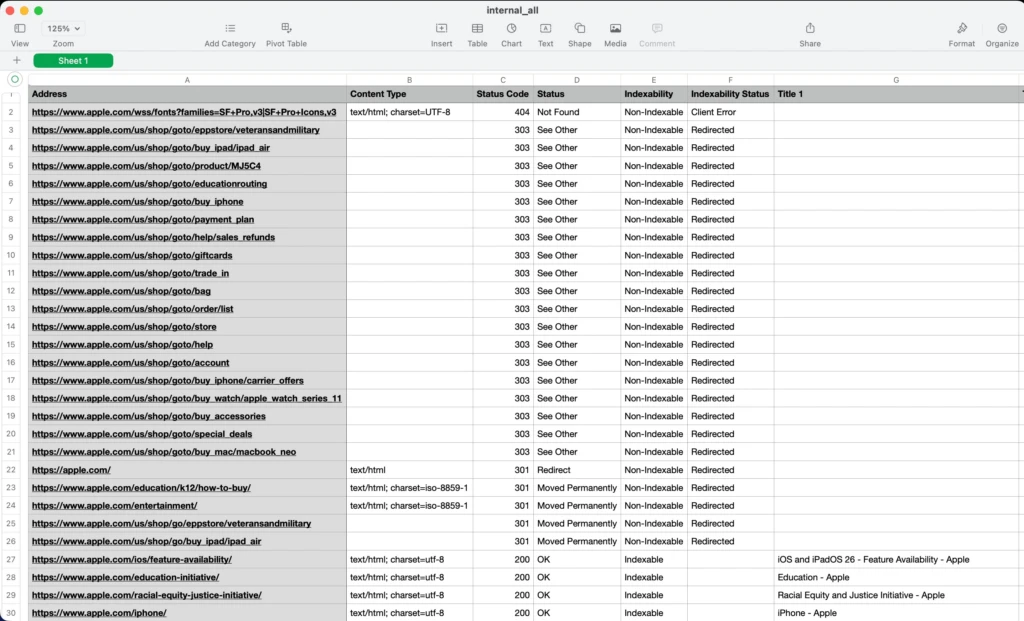
For most small business websites, a first crawl usually reveals years of small accumulated issues rather than catastrophic problems.
Common findings include outdated redirects, blog posts linking to deleted pages, duplicate metadata, oversized images, and weak internal linking between important pages.
The goal of a first audit is not to fix everything immediately. It is to identify the highest-impact problems first and create a manageable cleanup plan.
How to Use Screaming Frog Without Getting Overwhelmed
The biggest beginner mistake is treating every warning like an emergency.
Screaming Frog surfaces a large amount of technical data, but not every issue matters equally. Focus first on problems that affect important pages, usability, crawlability, or site structure.
A practical first audit should focus on:
- Broken internal links
- Missing or duplicate page titles
- Redirect chains
- Weak internal linking
- Large image files
- Important pages blocked from indexing
That alone is enough to create a meaningful SEO improvement plan for most small websites.
Free vs Paid Version
Screaming Frog offers both a free and a paid version.
The free version allows you to crawl up to 500 URLs. For many small websites, that is enough to run a basic technical audit and learn how the tool works.
The paid version becomes more useful when you need larger crawls, saved crawl configurations, scheduling, JavaScript rendering, custom extraction, and integrations with tools like Google Analytics and Google Search Console.
| Version | Best For |
|---|---|
| Free version | Small websites, beginners, basic audits |
| Paid version | Larger sites, client work, advanced technical SEO, recurring audits |
Most beginners should start with the free version. Upgrade only when the crawl limit or advanced features become a real constraint.
Who Should Use Screaming Frog?
Screaming Frog is most useful for people actively maintaining, improving, or auditing websites.
That includes:
- Small business owners maintaining their own websites
- Freelancers auditing client sites
- SEO consultants
- WordPress site owners
- E-commerce managers
- Bloggers and publishers
- Developers supporting SEO work
It is especially useful if your site has been redesigned, migrated, expanded, or neglected for a while.
If your website only has a few pages and no real SEO strategy, Screaming Frog may feel like more of a tool than you need. But once your site has a blog, service pages, redirects, images, and ongoing updates, a crawler becomes much more valuable.
Further Resources
If you want to learn more about Screaming Frog and technical SEO. Good beginner-friendly resources include:
- Official Screaming Frog SEO Spider User Guide
- Screaming Frog tutorials on YouTube
- Ahrefs technical SEO guides
- Semrush technical SEO articles
- Google Search Central documentation
Final Thoughts
Screaming Frog SEO Spider remains one of the most useful technical SEO tools because it helps make hidden website problems visible.
For small businesses, creators, and consultants, that visibility matters. A website can look completely fine on the surface while still having broken links, weak internal linking, redirect issues, or metadata problems affecting search performance underneath.
You do not need to master every advanced feature to get value from the tool. Even basic crawls can help you better understand your website’s structure and identify practical improvements.
Need Help Improving Your Website?
TCB Studio provides SEO consulting, technical website audits, WordPress support, and digital strategy services for small businesses and creators. If you need help improving your site’s technical SEO, cleaning up website issues, or building a more effective SEO workflow, explore our services. Thank you for reading.