No products in the cart.
Content Calendar Notion Template
Original price was: $4.99.$2.49Current price is: $2.49.
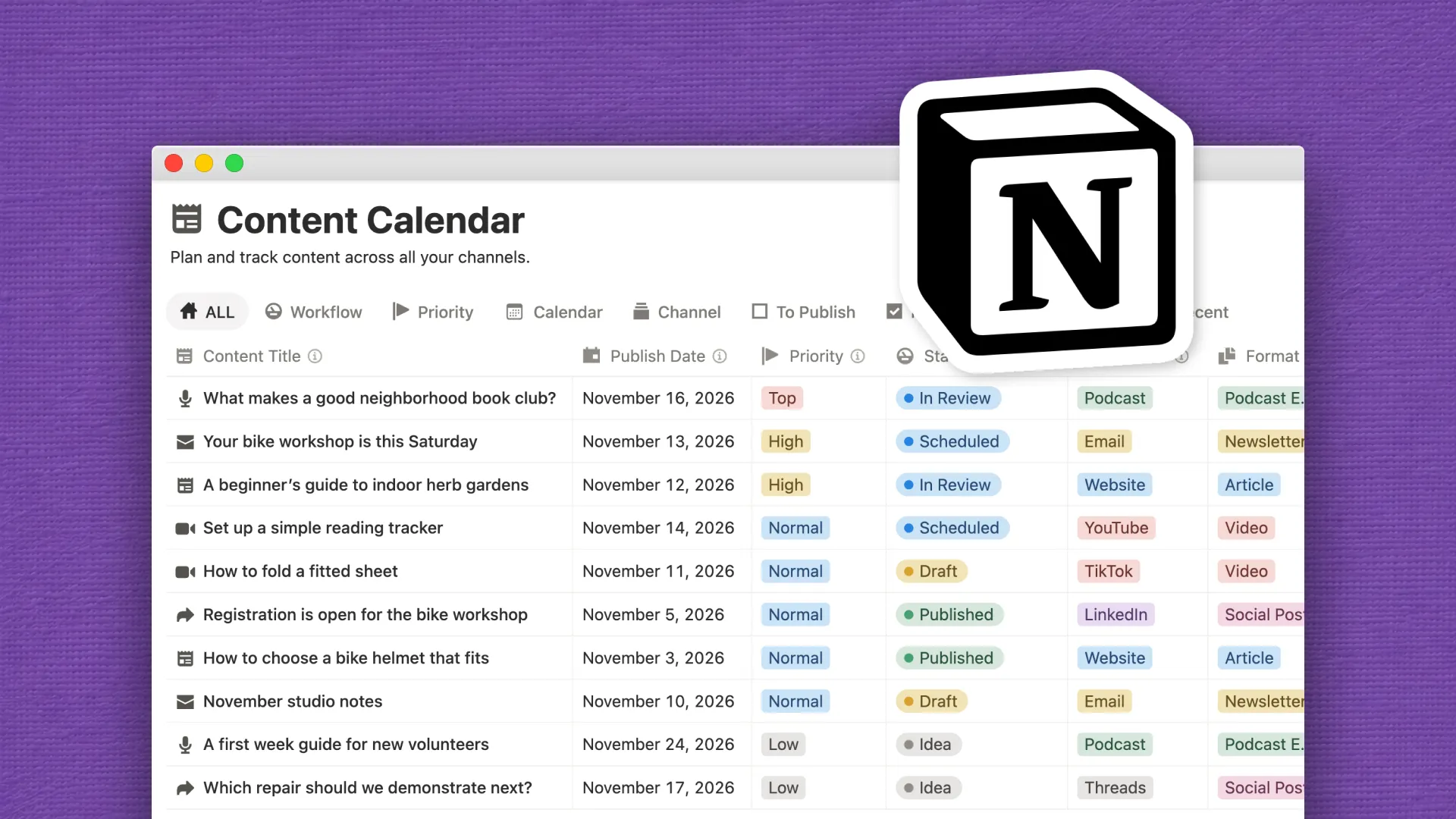
Plan articles, newsletters, social posts, videos, and podcasts in one Notion content calendar with five reusable templates and ten filled-in examples.
Content Calendar Notion Template
Plan website articles, email newsletters, social posts, videos, and podcast episodes in one Notion content calendar. See what’s going out, where it will appear, and what comes next.
Give each piece its own entry, with a channel, format, status, publish date, and next action. If you’re launching something across several channels, group the announcement, newsletter, and follow-up video under the same campaign, but give each piece its own schedule.
What’s Included
- Calendar and publishing queue to see what’s coming up and what still needs attention.
- Workflow board to track content from idea and draft through review, scheduling, and publication.
- Channel and campaign views to focus on one platform or see how related pieces fit together.
- Reusable templates for website articles, email newsletters, social posts, videos, and podcast episodes. Each includes a short brief and a format checklist.
- Ten filled-in examples across seven channels, with sample dates, statuses, tags, and next actions so you can see how the calendar works in practice.
Who It’s For
This template is for creators, freelancers, and teams who publish across multiple channels. Use it to plan a newsletter alongside your social posts, coordinate a launch with a teammate, or keep track of client content from draft to publication.
Make It Your Own
Use the sample entries to see how the views work, then clear them out and add your own content. Rename channels and campaigns to match where you publish and what you’re working on. Adjust the briefs and checklists for the formats you use most.
If you work solo, keep the focus on publish dates and next actions. If you work with a team, assign owners and use the workflow board to see which pieces are ready for review or scheduling.
You must be logged in to post a review.


Reviews
There are no reviews yet.