No products in the cart.
Ableton Live is a popular music production program used for recording, arranging, producing, and performing music. It is especially common among electronic musicians, producers, live performers, and independent creators working from home studios.
It can also feel confusing when you first open it, especially if you are coming from GarageBand or Logic Pro. This guide explains what Ableton Live is, how it works, where it is useful, where it can frustrate beginners, and how to decide whether it is worth learning for your own music projects.
What Is Ableton Live?
Ableton Live is a digital audio workstation, commonly called a DAW. A DAW is software used to record, edit, arrange, mix, and produce music on a computer.
What separates Ableton Live from many other DAWs is its focus on experimentation, looping, and live performance. It allows musicians to record instruments and vocals, create MIDI-based songs, trigger samples and loops, build effect chains, and perform live music in a single environment.
Unlike older recording software that was designed mainly around traditional studio timelines, Ableton was built around creative flexibility. You can sketch ideas quickly, rearrange sections on the fly, test different combinations of sounds, and move naturally between songwriting and performance workflows.
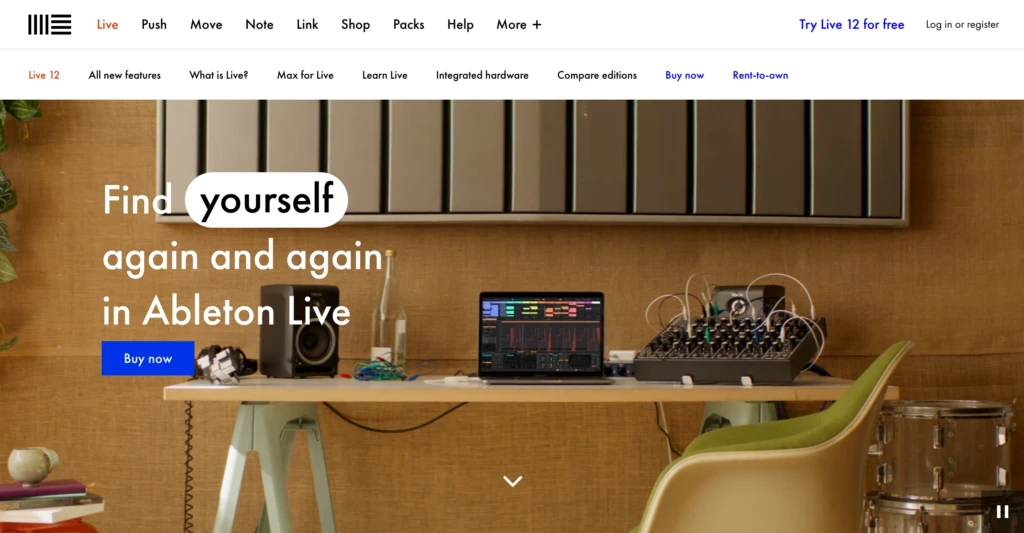
That flexibility is a major reason Ableton became widely used across electronic music, hip-hop, pop production, livestream music setups, and touring environments.
It is also important to understand that Ableton is not just for DJs or electronic musicians. Many people use it simply because the workflow is fast and adaptable. You can absolutely use Ableton for recording vocals, guitars, podcasts, keyboards, or more traditional songwriting projects.
For many musicians, Ableton eventually feels less like traditional recording software and more like a flexible creative workspace built around experimentation and fast iteration.
How Ableton Live Works
Ableton Live is built around two primary views:
- Session View
- Arrangement View
Understanding how these two views work together is one of the biggest keys to understanding Ableton itself.
Session View

Session View is the grid-style interface that many people associate with Ableton Live. Instead of organizing music strictly on a traditional timeline, it lets you launch loops, MIDI patterns, samples, vocal clips, and instrument parts dynamically.
This makes it easy to experiment with ideas before committing to a final song structure, which is a major reason Ableton became so popular among electronic musicians and live performers.
Arrangement View
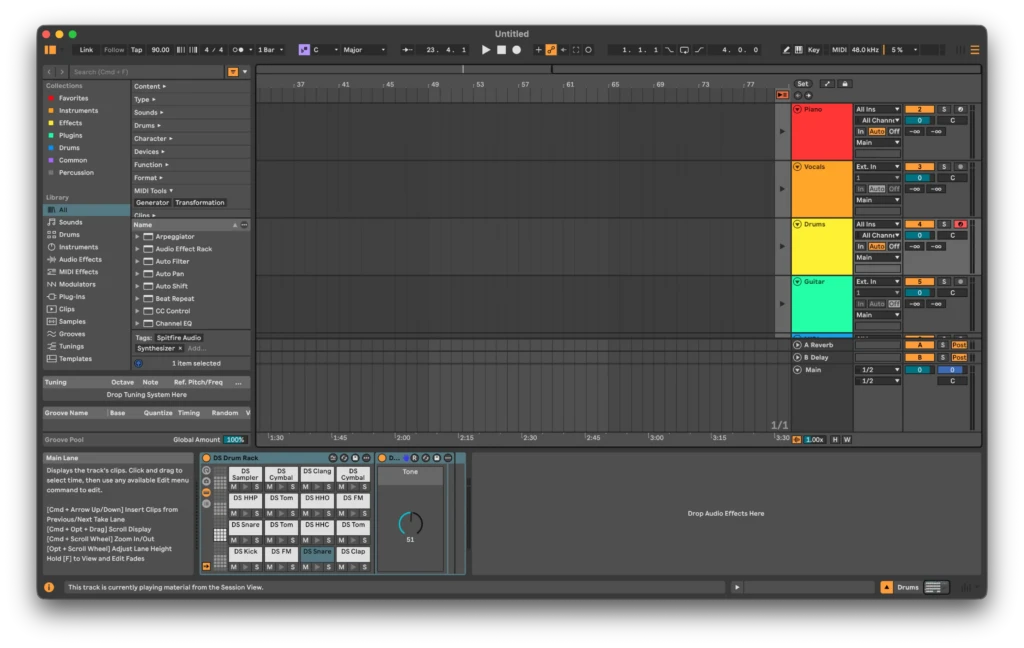
Arrangement View looks much more like a traditional recording timeline. This is where you build the final structure of a song, edit recordings, automate effects, and prepare a finished track.
If you are coming from GarageBand, Logic Pro, or Adobe Audition, this side of Ableton will probably feel more familiar at first.
Most Ableton users constantly switch between the two views while building songs.
Why Ableton Live Feels Different
One of the first things many people notice about Ableton Live is that it feels less visually guided than software like GarageBand or Logic Pro.
Logic Pro and GarageBand tend to feel more approachable for beginners. Instruments are easier to browse, the interface feels more polished out of the box, and many workflows are designed to give newer musicians more direction.
Ableton takes a more minimal and utility-focused approach. At first, that can feel confusing, especially if you are new to music production.
But once the workflow clicks, many musicians find Ableton faster and more intuitive for experimentation, routing, layering sounds, and building flexible production systems.
Where Ableton Live Excels
Ableton Live is especially strong once you move beyond basic recording and start building more flexible production workflows.
Fast Experimentation
One of Ableton’s biggest strengths is how quickly you can test ideas.
Ableton makes it easy to quickly swap instruments, duplicate clips, layer sounds, rearrange sections, build effect chains, and test alternate ideas. That speed is a major reason many producers prefer Ableton once they become comfortable with the workflow.
MIDI and Instrument Workflows
Ableton also handles MIDI and virtual instrument workflows extremely well. Routing, layering sounds, and building effect chains often feel faster and more modular compared to more traditional DAWs.
That becomes especially useful once you start building more advanced production setups involving layered instruments, MIDI routing, sidechaining, automation, and complex effect chains.
Live Performance
Ableton Live is heavily used in professional live music environments because it was designed around performance as much as recording.
Artists commonly use Ableton for backing tracks, loop triggering, MIDI control, live remixing, hybrid DJ setups, and synchronized performance systems.
Its hardware ecosystem is also built around this same hands-on performance workflow.
Ableton Push and Hardware Integration
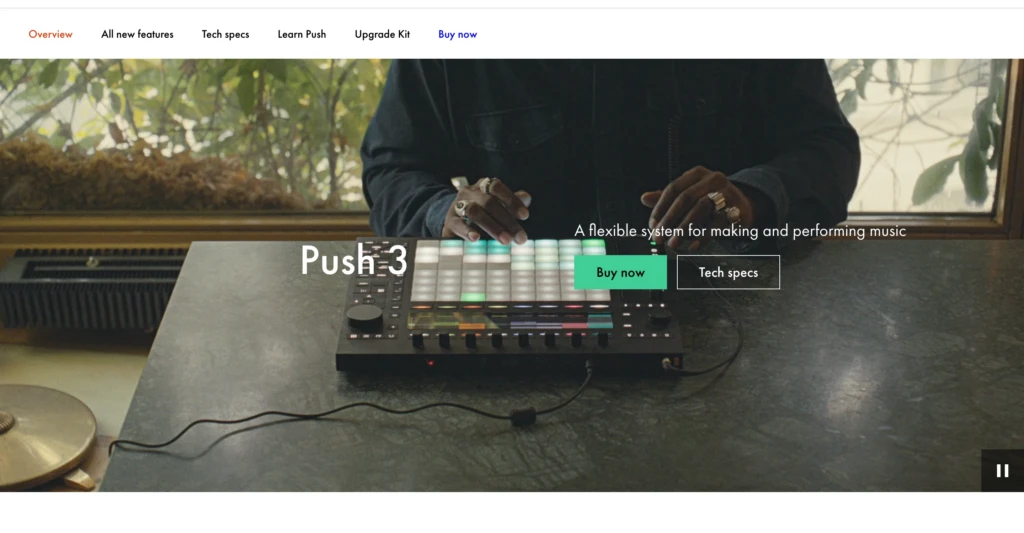
Hardware integration is one of Ableton Live’s biggest strengths.
Most modern DAWs support MIDI controllers, but Ableton feels especially designed around hands-on control. Controllers with pads, knobs, faders, and transport buttons tend to integrate naturally into the workflow with minimal setup.
With compatible hardware, you can:
- Launch clips
- Record loops
- Trigger samples
- Adjust effects
- Control automation
Without constantly reaching for the mouse.
That hands-on workflow makes music production feel more performance-oriented and less reliant on constant menu navigation.
Ableton’s own Push controllers are built specifically around this philosophy, but many third-party MIDI keyboards also work extremely well with Live.
Ableton Live vs Logic Pro
One of the most common comparisons is Ableton Live versus Logic Pro. Both are excellent professional DAWs, but they prioritize different experiences and workflows.
| Feature | Ableton Live | Logic Pro |
|---|---|---|
| Workflow Style | Flexible and performance-oriented | Traditional studio-oriented |
| Learning Curve | Steeper initially | Easier for beginners |
| Interface Style | Minimal and utility-focused | Visual and polished |
| Live Performance | Excellent | More limited |
| Built-In Instruments | Good, depends on edition | Extremely strong |
| Value Pricing | More expensive at higher tiers | Exceptional value |
| Apple Ecosystem | Cross-platform | Mac only |
Where Logic Pro Wins
Logic Pro offers great value for its price. Apple includes a large collection of instruments, effects, mixing tools, mastering features, and production utilities in the standard package.
For beginners, especially, Logic often feels easier to learn because the interface gives more visual guidance and a stronger sense of structure. GarageBand also serves as a natural stepping stone into Logic, lowering the learning curve considerably for Mac users.
Where Ableton Wins
Ableton shines once flexibility and workflow speed become bigger priorities.
As projects become more complex, Ableton often feels more fluid for experimentation, routing, layering sounds, and building creative production systems.
Things like instrument chaining, effect routing, and creative iteration tend to feel faster and more direct in Ableton once you understand its layout.
Both DAWs are used professionally at a high level. The difference mainly comes down to the kind of creative process you personally enjoy working in.
Ableton Live Pricing
Ableton Live uses a tiered pricing structure, which is important to understand before buying the software. The three main versions are:
| Version | Price | Intended Audience |
|---|---|---|
| Intro | $99 | Beginners and smaller projects |
| Standard | $439 | Intermediate users |
| Suite | $749 | Full professional package |
The differences mainly involve track limits, included instruments, sound libraries, effects, and more advanced production tools.
Is Ableton Live Worth The Money?
Compared to something like Logic Pro, Ableton can definitely become expensive at the higher tiers.
Ableton’s higher-end versions are a much bigger investment, especially for independent creators building home studios on limited budgets.
That said, Ableton does offer rent-to-own for the Suite version, which is genuinely helpful for newer musicians. Instead of paying everything up front, you can spread the cost over time and eventually own the software permanently.
Which Version Makes Sense?
For most beginners, Intro is enough to start learning the software and understanding the workflow.
Standard becomes more useful once your projects grow and you start needing more flexibility. Suite is aimed at people who are serious about long-term music production and want the full collection of Ableton instruments and tools.
Most people do not need the full Suite version. Learning the workflow matters far more early on than unlocking every feature.
Ableton Live and Splice
Ableton Live works especially well with sample-based workflows, which is one reason it is widely used in electronic music and hip-hop production.
Platforms like Splice are commonly used alongside Ableton for accessing drum samples, loops, vocal chops, sound effects, presets, and MIDI packs.
The drag-and-drop workflow between Ableton and sample libraries feels very natural. You can quickly pull sounds into a project, test ideas, manipulate clips, and build sketches without constantly stopping to organize files manually.
That kind of compatibility is a big reason Ableton fits naturally into modern music production workflows.
Is Ableton Live Hard to Learn?
This is probably the biggest question most beginners have before jumping into Ableton Live.
The honest answer is yes, Ableton can feel confusing at first, especially if you are completely new to music production. The software does not guide you as much as GarageBand or Logic Pro, and many parts of the interface only make sense after hands-on use.
Part of the challenge is that beginners are usually learning multiple things at once, including audio recording, MIDI, effects, routing, mixing, arrangement, and sampling. That combination can make the software feel overwhelming early on.
At the same time, Ableton’s learning curve is often overstated. The basics are very approachable once you stop trying to learn everything immediately. You do not need to understand advanced sound design, mixing theory, and live performance workflows just to start making music.
One thing that helps over time is that Ableton’s interface becomes more intuitive with repetition. Workflows that originally feel abstract eventually start becoming second nature.
If you are starting from scratch, focus on simple projects first. Learn how to create tracks, record audio, use MIDI clips, add effects, and arrange a basic song before worrying about advanced production techniques.
What This Means for Independent Creators
For independent creators, Ableton Live can become a central creative tool for everything from YouTube content to podcasts, livestreams, sound design, and social media clips.
Creators commonly use Ableton to produce background music for videos, record podcasts and voiceovers, create stream audio assets, edit samples and sound effects, build short-form social media music, and perform loop-based music live.
Ableton scales well as your projects become more ambitious. You can start with simple recording setups and gradually expand into workflows involving MIDI controllers, automation, virtual instruments, sample libraries, and external plugins.
Ableton is particularly strong for people who like experimenting and building their own creative systems rather than following rigid studio workflows.
Common Beginner Mistakes
A lot of beginners struggle with Ableton for very normal reasons. The software has a great depth, and it is easy to turn learning music production into information overload.
One of the biggest mistakes people make is trying to learn everything immediately. Beginners often jump between recording, mixing, synthesis, sound design, mastering, and live performance workflows simultaneously. That usually leads to frustration instead of progress. A better approach is to focus on one layer at a time.
Start by learning how to:
- Create tracks
- Record audio
- Use MIDI clips
- Add effects
- Arrange a simple song
Another common mistake is buying too much gear too early. A lot of online music content makes it seem like you need expensive controllers, synthesizers, and studio equipment.
It is also important not to compare yourself too heavily to professional producers online. Many creators making advanced Ableton tutorials have years of production experience behind the scenes, and the software looks much easier when experts use it.
Further Resources
A few beginner-friendly Ableton learning resources that are genuinely worth spending time with include:
- Official Ableton Tutorials: Good for learning the fundamentals directly from the company itself. The tutorials are well-structured for beginners and explain core concepts without assuming a deep background in music production.
- Seed to Stage: One of the better channels for understanding how Ableton workflows function in real projects. Strong explanations of routing, effects, sound design, and creative workflow decisions.
- EDMProd: Beginner-friendly music production education that stays practical and approachable. Helpful for understanding arrangement, songwriting, and production concepts beyond just clicking buttons inside the software.
One thing I would strongly recommend is avoiding the trap of endlessly watching tutorials without actually using the software. Ableton makes much more sense once you spend time building projects yourself.
Putting This Into Practice
Ableton Live is not the easiest DAW for beginners, but there is a reason so many serious musicians and producers continue using it for years.
The software rewards experimentation and hands-on learning. Once the workflow starts making sense, it becomes flexible enough for simple songwriting projects, sample-based production, live performance, and more advanced creative systems.
At the same time, it is important to stay realistic about your needs. If you are completely new to music production, something like GarageBand or Logic Pro may honestly feel more approachable at first. Logic in particular remains one of the best overall values in professional creative software.
But if you are interested in modern production workflows, MIDI-based creation, live performance tools, or simply a faster and more modular way to experiment with ideas, Ableton Live is well worth considering.
The people making polished Ableton tutorials online have usually spent years building those skills. Focus on small projects, consistent practice, and learning the parts of the software that directly support the kind of music you actually want to make.
Work With TCB Studio
At TCB Studio, I work with creators and independent businesses on digital systems, creative workflows, web development, SEO, and practical technology implementation.
That includes helping people build sustainable creative environments, organize digital workflows, improve content systems, and create long-term processes that actually support creative work instead of constantly fighting against it.
If you are building a creative business, content platform, digital product ecosystem, or independent creator workflow, you can also explore consulting and services here. If you would like to work with me or have further questions, reach out.