No products in the cart.
If you use modern software, you are interacting with APIs constantly. Every time an app loads weather data, a website processes a payment, or a tool connects to another service, an API is usually working behind the scenes.
APIs are among the core systems that enable the modern internet to function. While the term sounds technical, the basic idea is straightforward. Once you understand what an API is, it becomes much easier to understand how websites, apps, and digital tools communicate with each other.
This guide explains what an API is, how APIs work, and why they are such an important part of modern software.
What Is an API?
An API (Application Programming Interface) is a set of rules that allows one piece of software to communicate with another.
In practical terms, an API acts as a messenger between two systems. One program issues a request, the API carries it, and the other system sends a response.
Instead of directly accessing another program’s internal code or database, applications send structured requests to the API. The API processes the request and returns the requested information or performs the requested action. This allows different systems to exchange information safely without exposing their internal structure.
For example:
- A website might use an API to request payment processing from Stripe.
- A mobile app might use an API to retrieve directions from Google Maps.
- A marketing platform might request data from Google Analytics via an API.
In each case, the API acts as the controlled gateway that allows these systems to interact.
Where You Encounter APIs in Everyday Software
Most people interact with APIs constantly without realizing it.
Whenever you log into a website using Google, check the weather on your phone, process an online payment, or schedule a social media post through a marketing tool, APIs are working in the background.
For example, when an online store processes a payment, the website typically sends the transaction to a payment processor via an API. When a weather app shows today’s forecast, it usually retrieves that information from a weather service via an API.
These interactions happen in milliseconds, which is why users rarely notice them. But behind the scenes, APIs are quietly powering many of the digital services people use daily.
A Simple Way to Think About APIs
A helpful way to think about an API is to imagine a restaurant.
You do not walk into the kitchen and cook your own food. Instead, you place an order with a server. The server takes the request to the kitchen and returns with the result.

In this analogy, you represent the application making the request. The server represents the API, and the kitchen represents the system doing the work behind the scenes.
You never interact directly with the kitchen. Instead, the server processes your request and returns the result. An API works similarly by carrying requests between systems and returning responses in a structured format.
The API acts as the middle layer that translates requests and responses.
This approach keeps systems organized and secure. Software does not need full access to another program. It only needs to know how to make the correct request.
Why APIs Matter for Modern Software
APIs are the foundation of how modern digital tools connect with each other.
Without APIs, every piece of software would have to operate completely on its own. Websites would not easily connect to payment processors, apps would not be able to retrieve data from other platforms, and automation between tools would be extremely difficult.
For example, a modern business website often relies on several APIs working together.
| System | What the API Does |
|---|---|
| Payment processor | Handles checkout and transactions |
| Email platform | Sends newsletters and notifications |
| Analytics platform | Tracks visitor behavior |
| CRM | Stores customer data |
| Maps service | Displays location information |
Each of these systems focuses on doing one job well. APIs allow them to work together without requiring everything to be built inside a single piece of software.
How APIs Work (Basic Overview)
At a basic level, APIs work through requests and responses.
An application sends a request to an API endpoint. The API processes the request and returns a response, typically in a structured format such as JSON.
The typical process looks like this:
- A program sends a request to the API
- The request includes instructions or data
- The API processes the request
- The API returns a response
For example:
A website might send a request that looks like this:
GET /weather?city=KansasCity
This request is essentially asking the weather service: “What is the weather in Kansas City?”
The weather service then returns structured data that the website can use.
Example JSON response:
{
"city": "Kansas City",
"temperature": "74°F",
"conditions": "Partly Cloudy"
}
The website can then display that information to the user.
What an API Endpoint Is
An API endpoint is a specific location where requests can be sent.
You can think of an endpoint as a specific function within an API. Each endpoint performs a specific task and returns a specific response type.
Each endpoint performs a specific task and returns a predictable response.
Because APIs are organized into endpoints, developers can request exactly the information or action they need. This structure keeps APIs predictable and easier to work with.
Types of APIs
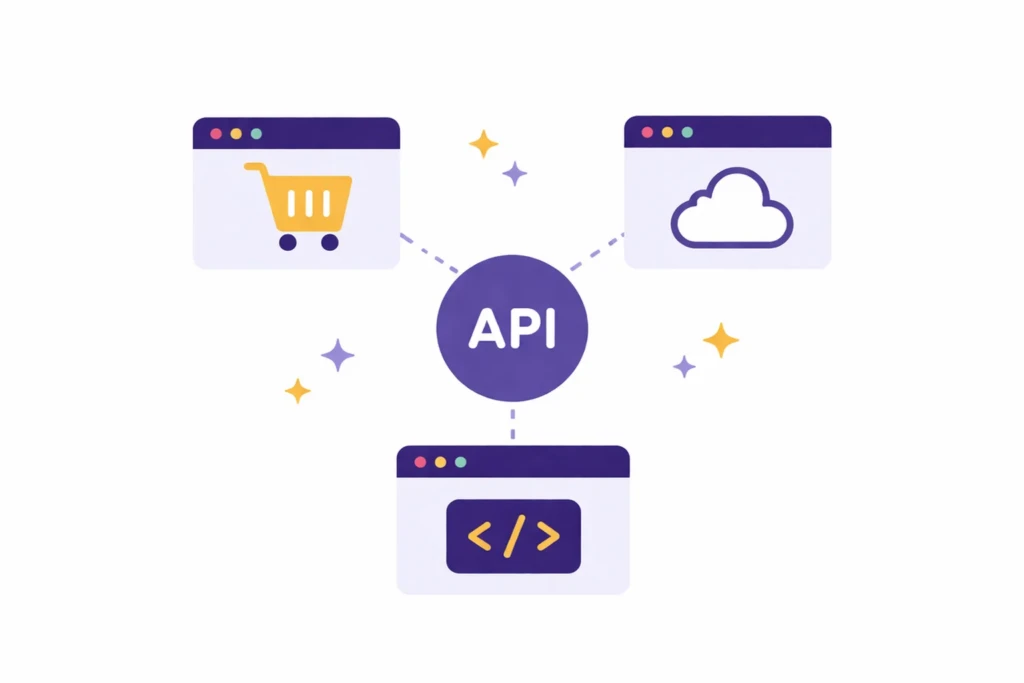
Not all APIs are used in the same way. Some are open to outside developers, while others are used only inside a company.
Understanding the different categories helps explain how software systems share data and services.
Public APIs
Public APIs are available to external developers and software platforms.
These APIs allow other companies or developers to build applications that integrate with a platform.
For example, a payment API might include endpoints for creating a payment, retrieving a transaction, issuing a refund, or listing customer records. Each endpoint performs a specific task and returns a predictable response.
Public APIs often require authentication keys to track usage and enforce limits.
Private APIs
Private APIs are used internally within a company.
Large organizations often build internal APIs to enable their systems to communicate with each other.
For example, a company’s website might communicate with an internal inventory system, a mobile app may connect to a private customer database, and internal dashboards may retrieve data from reporting systems.
These APIs are not accessible to the public.
Partner APIs
Partner APIs are shared with specific companies or partners.
These APIs are not fully public, but they allow integrations between trusted organizations.
For instance, a travel website may integrate airline booking systems, a payment provider might connect with e-commerce platforms, and a logistics company may exchange shipment data with shipping partners.
Access is usually controlled through agreements and authentication credentials.
REST APIs: The Most Common Type
Many modern APIs follow a design pattern called REST (Representational State Transfer).
REST APIs use standard web technologies and simple request methods to exchange information.
Common REST request types include:
| Request Type | What It Does |
|---|---|
| GET | Retrieve data |
| POST | Create new data |
| PUT | Update existing data |
| DELETE | Remove data |
REST APIs became popular because they work naturally with the web and are relatively easy to understand.
API Keys and Authentication
Because APIs expose powerful capabilities, they usually require authentication.
Authentication ensures that only authorized applications can send requests.
A common method is to use an API key.
An API key is a unique identifier provided to developers when they register an application with a service.
Including the API key allows the service to verify who is making the request, how many requests they have made, and whether they have permission to access the endpoint.
Many APIs also enforce rate limits to prevent abuse. For example, an API might allow 1,000 requests per hour or 10,000 requests per day, depending on the service plan.
These limits protect infrastructure and ensure reliable services.
Real-World Examples of APIs

Most digital platforms today provide APIs because they allow other systems to build integrations.
Here are some common examples.
Payment APIs
Payment APIs allow websites and applications to process transactions securely. Common examples include Stripe, Square, and PayPal.
A website does not store sensitive credit card data itself. Instead, it sends a request to the payment API, which securely handles the transaction.
Social Media APIs
Social media platforms often expose APIs so applications can interact with their systems.
For example, scheduling tools can publish posts automatically, analytics platforms can retrieve engagement data, and content tools can display social media feeds inside dashboards.
This is how social media management platforms work.
AI APIs
AI tools increasingly offer APIs that enable developers to integrate intelligence into applications.
For example, AI APIs can generate text, summarize documents, analyze images, or power conversational chatbots inside applications.
These APIs allow developers to add advanced capabilities without building machine learning systems from scratch.
Mapping and Location APIs
Many apps use mapping APIs to provide location-based features.
These APIs allow applications to display maps, calculate driving routes, locate nearby businesses, and track deliveries in real time.
Platforms like Google Maps and Mapbox power thousands of applications through APIs.
What This Means for Small Businesses
Most small businesses do not build APIs themselves, but they rely on them every day without realizing it.
Many of the tools used by modern businesses communicate with each other through APIs. This is what allows different platforms to exchange information automatically.
A typical small business website may connect payment processing, email marketing tools, analytics tracking, booking systems, and CRM platforms. These integrations are usually powered by background-running APIs.
This is also why automation tools like Zapier, Make, and n8n exist.
These platforms connect APIs from multiple tools and allow users to automate workflows without writing code.
APIs and Automation
One of the biggest benefits of APIs is automation.
When two tools can communicate via an API, they can exchange information automatically rather than rely on manual work.
For example, website forms might automatically create CRM contacts, CRM records may trigger onboarding emails, invoices can generate accounting entries, and analytics data can flow directly into reporting dashboards.
All of these systems communicate through APIs. For creators and independent builders, learning basic API concepts can unlock powerful automation possibilities.
APIs for Developers and Builders
For developers, APIs are essential building blocks.
Modern applications rarely operate in isolation. Instead, developers combine multiple APIs to build complete systems.
For example, a simple web application might rely on several APIs at once:
- Database API
- Authentication API
- Payment API
- AI API
- Storage API
By combining services, developers can build powerful software much faster.
This is why modern development often focuses on integrating services rather than building everything from scratch.
Common API Data Formats
APIs exchange data in structured formats that software systems can easily read and process.
The most common format today is JSON (JavaScript Object Notation). JSON is lightweight, readable, and easy for software systems to parse.
Example JSON response:
{
  "name": "Jane Doe",
  "email": "jane@example.com",
  "subscription_status": "active"
}
API vs SDK
Another term that often appears alongside APIs is SDK, which stands for Software Development Kit. An SDK is a collection of tools that makes it easier for developers to use that API.
You can think of it this way:
- An API is the doorway that allows software to access a service.
- An SDK is the toolbox that helps developers use that doorway more easily.
For example, a company might provide an API that allows developers to process payments. They may also provide SDKs for languages such as JavaScript, Python, or Swift that make those API requests easier to write.
In practice, most developers interact with APIs through SDKs rather than writing every request manually.
API vs Webhook
Another related concept is the webhook.
While an API requires one system to request information from another, a webhook allows one system to automatically send information when a specific event occurs.
For example, a payment processor might send a webhook notification when a transaction is completed. Instead of repeatedly asking the payment system if something happened, the receiving system is notified immediately.
APIs and webhooks often work together to power modern integrations.
API Documentation
For developers to use an API, they need documentation.
API documentation explains the available endpoints, the formats of requests and responses, authentication requirements, and any usage limits developers must follow.
Good documentation is essential because it allows other developers to build integrations reliably.
Platforms like Stripe are widely respected for having clear API documentation.
APIs Are the Infrastructure of the Modern Internet
APIs may sound like a technical concept, but they are simply the communication layer that allows software systems to work together.
Nearly every modern digital service relies on APIs to exchange data, trigger actions, or connect with other platforms.
They enable software integrations, automation workflows, cross-platform applications, data sharing between services, and many AI-powered tools.
Without APIs, the modern ecosystem of apps, platforms, and digital services would be far more limited.
Applying This to Your Business
Understanding APIs changes how you think about digital systems.
Instead of viewing tools as isolated platforms, you begin to see them as connected components in a larger workflow.
This perspective helps businesses build better automation, choose tools more strategically, and design systems that scale.