No products in the cart.

Google Gemini is one of the most popular generative AI tools for research and content creation. It has useful UI tools that simplify interactions and improve results. This quick guide covers the basics of Gemini and similar tools.
What is Google Gemini?
Google Gemini is a conversational AI model that delivers personalized interactions through natural language.
Its significance lies in its ability to understand and respond to user queries in a natural, helpful way.
Example Interaction
Here is a sample experience of using Gemini:
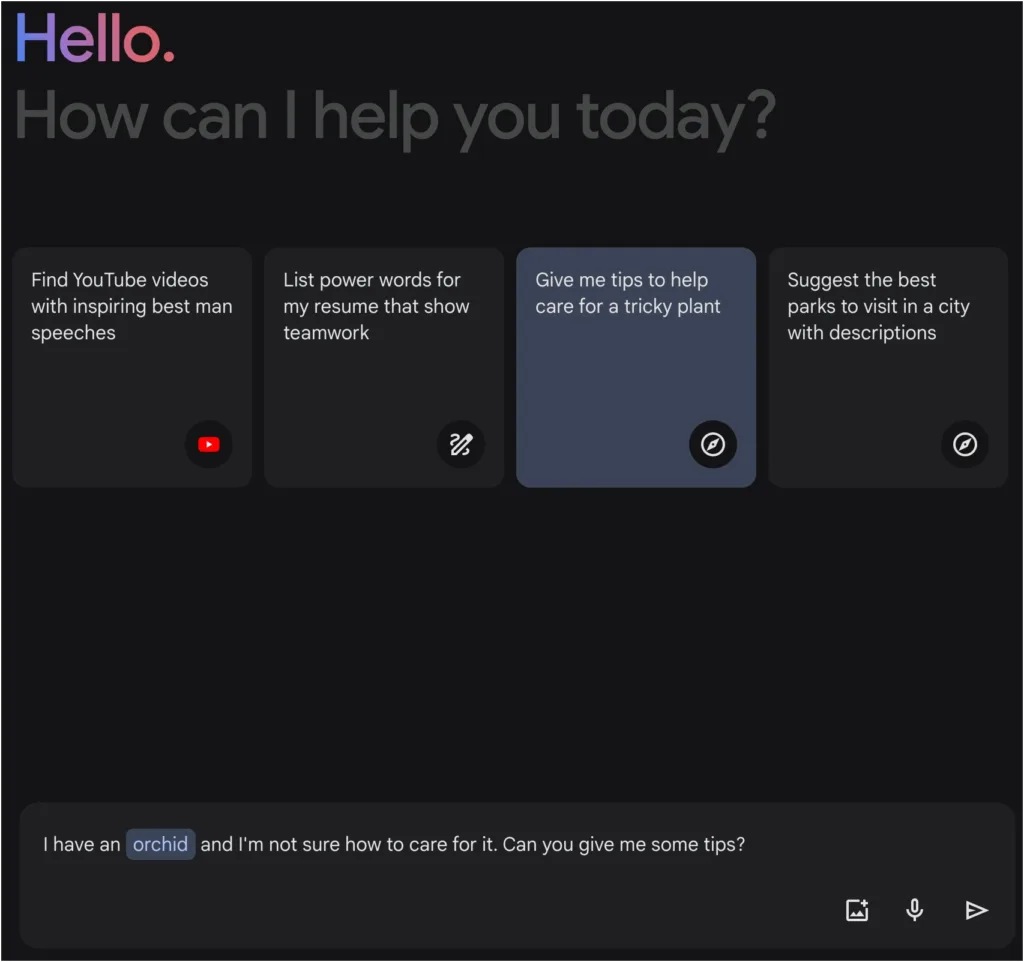
After clicking the Send icon, it creates a response:

You can further interact with Gemini from there, asking for specifics, new information, or any other variety of requests.
Key Features of Google Gemini
Understanding key features can help you use Gemini effectively, ensuring your interactions are engaging and informative and that you take full advantage of its offerings.
Google Gemini Features
- Knowledge Graph Integration
- Desktop Voice Input
- Response Modification Tools
- Multiple Chat Threads
- Double-Check Responses
Knowledge Graph Integration
Gemini is connected to Google’s Knowledge Graph, providing access to vast amounts of verified, structured data and enriching responses with accurate, comprehensive information.
Desktop Voice Input
Gemini allows for voice input right in the browser. Just click on the Use microphone button to make requests with your voice.
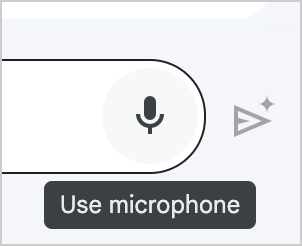
You’ll need to enable microphone access the first time, but then you can send the query to Gemini as usual.
Response Modification Tools
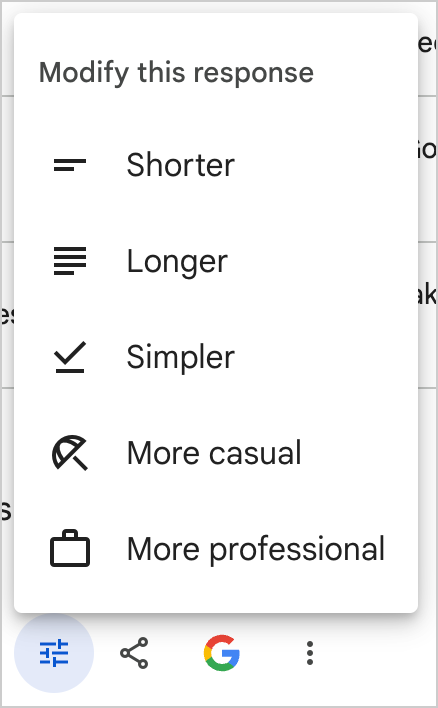
Gemini offers simple “Modify this response” controls that let you edit the results. This allows for accordion editing and simple tone adjustments.
Multiple Chat Threads
The Recent conversations panel allows for multiple threads and topics. These can create more refined experiences that specialize in certain tasks or concepts.
As you continue using a given thread, it should become increasingly helpful and focused on the information it provides. This allows for personalized experiences customized to your preferences.
Double-Check Responses
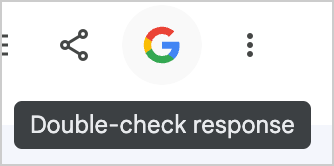
Gemini offers a Double-check response feature, also known as the “Google it for me” button. This will check your response with Google Search results and summarize its findings.
It will highlight information it finds according to its confidence, such as green for correct information:
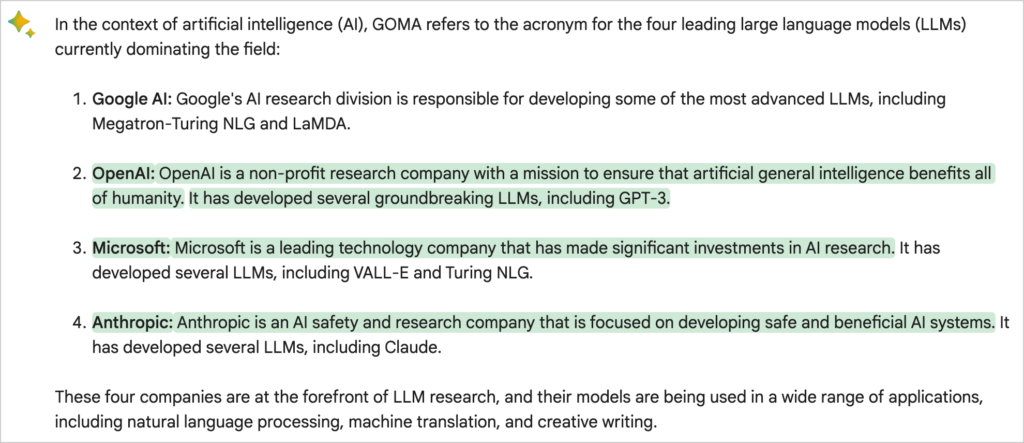
This tool is useful for researching and preparing content to ensure accuracy and avoid AI hallucinations.
Gemini Use Cases
Let’s look at some of the top potential applications of Gemini:
- Research: While Google Search can provide relevant and authoritative results, Gemini can cite that information and pull out specific information. This speeds up the research process, allowing for a quicker development cycle.
- Content Creation: It assists writers and content creators by suggesting ideas, crafting outlines, and drafting content. This streamlines the early stages of writing by providing customized information you can build on.
- Education and Learning: Gemini can serve as a virtual tutor, explaining complex subjects and providing personalized learning experiences. You can explore topic threads and areas of interest without being limited by set structures or curriculum.
- Language Translation and Localization: It helps translate content and ensure translations maintain the original context, tone, and intent.
- Accessibility: Google Gemini can be instrumental in making technology more accessible, offering voice-operated information retrieval and interaction for users with disabilities.
These are only a few ideas for how Gemini can be used. Play around with it and explore ideas to understand its capabilities.
Google Gemini Alternatives
While Gemini is one of the top AI tools for researching and working with content, it has some strong competitors. Here are similar tools worth exploring:
ChatGPT
ChatGPT is often a stronger alternative to Google Gemini. It continues to be one of the strongest options available and can browse the web with Bing crawlers. This allows for assistant-like tasks and other use cases.
Pros
- The basic version is free.
- ChatGPT Plus offers access to the latest models and tools.
- Better at producing most content and in many other areas.
Cons
- Has its own bad patterns and habits, requiring persistent adjustments.
- Doesn’t offer straightforward controls like Gemini.
- No voice input on desktop devices.
Claude
Claude is an AI assistant developed by Anthropic, an AI safety and research company. It can handle a wide range of conversational and text-processing tasks while maintaining high reliability and predictability. Also, Claude is trained on a carefully curated dataset and undergoes rigorous testing to ensure it produces safe results.
Pros
- Has a long context window, allowing it to work effectively with long text files.
- Can upload files like PDFs and CSVs to provide context for the prompt.
- Claude is designed with a strong emphasis on safety and reliability.
Cons
- Does not support image uploads.
- Only available in the U.S. and the U.K.
- Lacks the ability to perform internet searches.
Bottom Line
Google Gemini is an excellent AI tool for basic research, content creation, and more. While its results and interactions are often not as strong as ChatGPT’s, it is valuable for finding and summarizing updated information.