No products in the cart.

A 302 redirect temporarily sends visitors from one URL to another while indicating that the original URL may return. It can help with temporary testing, maintenance, seasonal content, or a page expected to become available again.
The important question is whether the change is temporary or permanent. If the original page has moved for good, use a 301 or 308 redirect instead. That choice affects where visitors are sent and how search engines interpret the two URLs.
What Is a 302 Redirect?
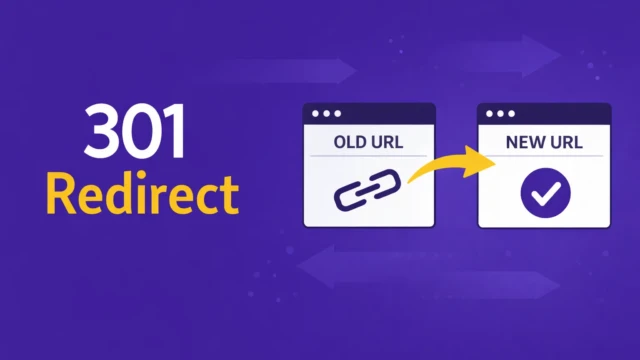
A 302 redirect is an HTTP status code that tells a browser or search engine that the resource requested at one URL is temporarily available at another URL.
For example, a website might temporarily redirect:
example.com/page → example.com/temporary-page
Visitors are sent to the temporary page while the original page is unavailable. When the temporary change ends, the site can remove the redirect and serve the original page at its usual URL again.
A 302 affects the server response, not just the visible content on the page. The browser receives instructions to load another URL, and search engines can follow those instructions when crawling the site.
The important part of a 302 redirect is that the change is temporary. Use one when the original URL is expected to return or remain the preferred long-term address.
How a 302 Redirect Differs From Other Redirects
Redirects are not interchangeable. Some indicate a temporary move, others a permanent one, and some preserve the original request.
| Redirect | Main Meaning | Typical Use |
|---|---|---|
| 301 | Permanent redirect | A page has moved permanently |
| 302 | Temporary redirect | A page is temporarily available elsewhere |
| 303 | See another URL | Sending a submitted form to a result page |
| 307 | Temporary redirect that preserves the request method | Temporary application or server redirect |
| 308 | Permanent redirect that preserves the request method | Permanent application or server redirect |
For a normal page visit, the distinction is straightforward: use a 302 when the move is temporary and a 301 when the destination should replace the original URL permanently.
The 307 and 308 status codes are similar to 302 and 301, but they preserve the original request method. That distinction matters more for forms, APIs, and application workflows than for a standard page visit.
A 303 serves a different purpose. It commonly sends a browser to a separate result page after a form submission, which helps prevent the form from being submitted again if the visitor refreshes the page.
JavaScript redirects and HTML meta refreshes are other methods, but they work differently from server-side HTTP redirects. When possible, use a server-side redirect because it’s easier to inspect and maintain.
How 302 Redirects Affect SEO

A 302 usually tells search engines that the original URL remains the preferred long-term location. Google can follow the redirect and evaluate the destination page, but the temporary status sends a weaker signal that the destination should permanently replace the original URL.
That distinction matters when a URL already has search visibility, links, or a history of serving visitors. If the site temporarily sends that URL to another page, keeping the original URL as the long-term reference may be appropriate.
If the page has permanently moved, a 302 may send signals that don’t match the intended outcome. A 301 or 308 is usually a better fit for a permanent change.
A redirect does not guarantee rankings, traffic, or complete transfer of the original page’s search signals. It only communicates how the site currently relates two URLs. The destination still needs to be relevant, accessible, indexable, and useful to visitors.
When a 302 Redirect Makes Sense
A 302 is appropriate when the destination is temporary, and the original URL still has a reason to exist.
You might use one while testing a revised page, directing visitors around temporary maintenance, running seasonal content, or providing an interim destination while a page or service is unavailable. In each case, the site should clearly state why the redirect is in place and how it will know when to restore the original arrangement.
A 302 can also be used while a site owner evaluates whether a new destination should become permanent. Don’t leave that decision open indefinitely. If the replacement becomes the permanent home for the content, update the redirect to match that decision.
When a 302 Is the Wrong Choice
The most common redirect mistake is leaving a temporary status on a permanent change.
A 302 is usually the wrong choice when a page has permanently moved, a site has changed domains, a URL structure has been reorganized, or a product or service has been replaced for good. In those situations, use a 301 or 308 when a relevant replacement page exists.
If no meaningful replacement exists, redirecting the old URL to the homepage may create a poor experience. A helpful 404 or 410 response can be more accurate when the original content has been removed, and no comparable page exists.
Before choosing a redirect, confirm what should happen to the original URL over the long term. The status code should reflect that business decision, not just offer a quick way to send visitors elsewhere.
How to Review a 302 Redirect

Start by visiting the original URL and confirming that it sends visitors to the intended destination. Then check the HTTP status code, because a browser alone may not show whether the site uses a 302, a 301, or multiple redirects in sequence.
Review the destination as well. It should load successfully, make sense as a temporary replacement, and give visitors a reasonable next step. Avoid sending the request through several redirects when a direct destination is available, since redirect chains can slow down the request and make the URL structure harder to maintain.
There is no fixed number of days that automatically turns a 302 into a permanent redirect. Keep a record of the source URL, destination URL, redirect reason, responsible person, and review date.
Review the redirect when the temporary reason ends, such as when maintenance is complete, testing is finished, or temporary content is no longer needed. If the original page will not return, replace the 302 with the response that matches the permanent outcome.
A technical check can confirm that the redirect is working. It cannot confirm its eventual effect on rankings, traffic, leads, or sales. Those outcomes depend on the wider site and how search engines process the change over time.
Common 302 Redirect Mistakes

Most 302 problems come from using the status code without a clear plan for the original URL. A temporary redirect may work for visitors but can be hard to maintain if no one knows why it was added or when it should end.
- Using a 302 for a page that has permanently moved.
- Redirecting an unrelated URL to the homepage simply because you haven’t chosen a replacement page.
- Letting several temporary redirects accumulate until the site has long chains or conflicting rules.
The fix is usually straightforward: identify the original URL, confirm the intended destination, decide whether the change is temporary or permanent, and remove redirects that no longer serve a purpose. If no relevant replacement exists, returning an appropriate 404 or 410 response may be better than creating another redirect.
Frequently Asked Questions
These questions cover the decisions that usually matter most when adding, reviewing, or changing a temporary redirect.
A 302 redirect is not automatically bad for SEO. It is appropriate when a page has moved temporarily and the original URL is expected to return.
The problem is usually a mismatch between the redirect and the business decision. If the page has permanently moved, review whether a 301 or 308 better reflects the situation.
The answer depends on what changed during the redesign. If existing pages keep the same URLs, no redirect may be needed. If pages permanently move to new URLs, use 301 or 308 redirects.
Use a 302 only when the old URL is expected to return after a temporary redesign-related change.
A 302 may work for a temporary testing setup, but it isn’t the right method for every A/B test. The test should have a defined duration and provide visitors and search engines with a consistent experience.
For larger tests, review the testing platform’s guidance on crawling, indexing, and experiment controls before implementing.
The website owner or the person responsible for technical maintenance should assign an owner for each redirect. A developer may add the redirect, but the business still needs to know why it exists and when to review it.
A shared redirect log with the source URL, destination, reason, and review date is enough for many small websites.
Probably not if the site has a small number of redirects with clear reasons, owners, and review dates. A focused review may be enough to identify outdated redirects, incorrect status codes, or unnecessary redirect chains.
Ongoing support is better for a site that changes frequently, has multiple contributors, or regularly runs temporary campaigns.
Summary
A 302 redirect is for a temporary change. It sends visitors to another URL while keeping the original URL as the expected long-term location.
Use a 301 or 308 when a page has permanently moved. Before changing a redirect, identify the source URL, destination URL, reason for the redirect, and whether the original page is expected to return. Then check the current status code against that intended outcome.
Work With TCB Studio
TCB Studio can review whether a redirect issue is isolated or part of a broader technical SEO problem. A focused technical SEO review may be enough when you already know which URLs are affected and need help deciding what should happen next.
For a defined redirect question, hourly work may be the right scope. Monthly support makes more sense when the site needs recurring technical review. A one-time correction does not automatically require ongoing support. Have questions? Contact us to get started.