No products in the cart.
AI Prompt Library Notion Template Support
Support resources for AI Prompt Library Notion Template.
This page explains how to use the AI Prompt Library Notion template, including setup, structure, and basic troubleshooting.
What This Template Does
The AI Prompt Library helps you organize and reuse prompts across multiple AI tools. Instead of rewriting prompts every time, you can store them in one place and quickly find them later.
What’s Included
- Prompt database for storing prompts
- AI tools database
- Prompt descriptions and notes
- Output type tracking
- Example prompts to get started
How to Add a Notion Template to Your Workspace
Open the template link you received after checking out. You should have received one in an email with the account you used. You can also access the template in your account if you created one.

Click Start with this template in the top-right corner. If the button does not appear, ensure you are logged in to your Notion account.
Choose the workspace where you want to install the template. It may take a moment to load.
Open the template in your workspace.
How the Template Is Organized
The AI prompts template includes a homepage with recent prompts and two databases.
Dashboard
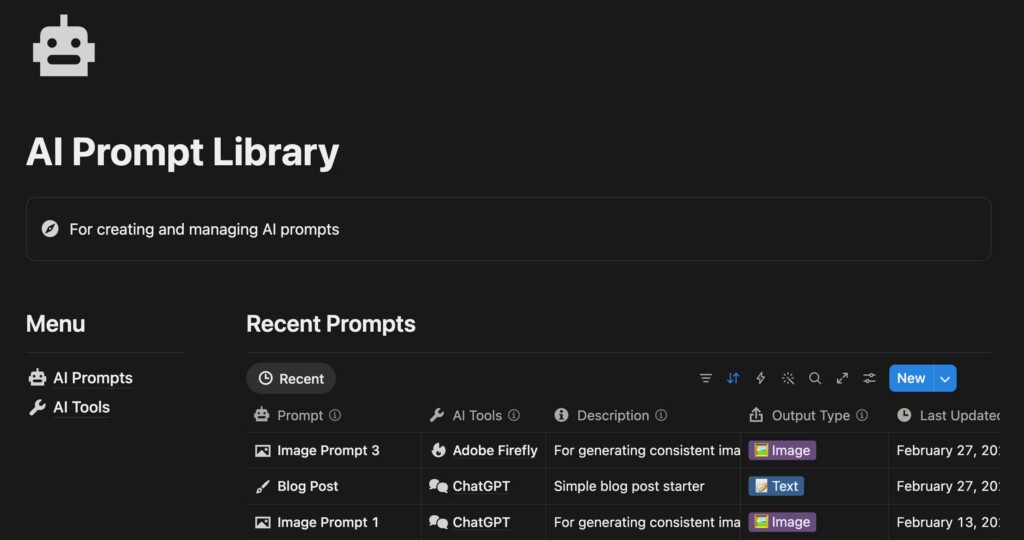
The main view is a simple dashboard that includes a left navigation of the relevant databases, plus recent prompts on the right. You can customize the dashboard further by editing the database views and adding more context.
Prompt Database
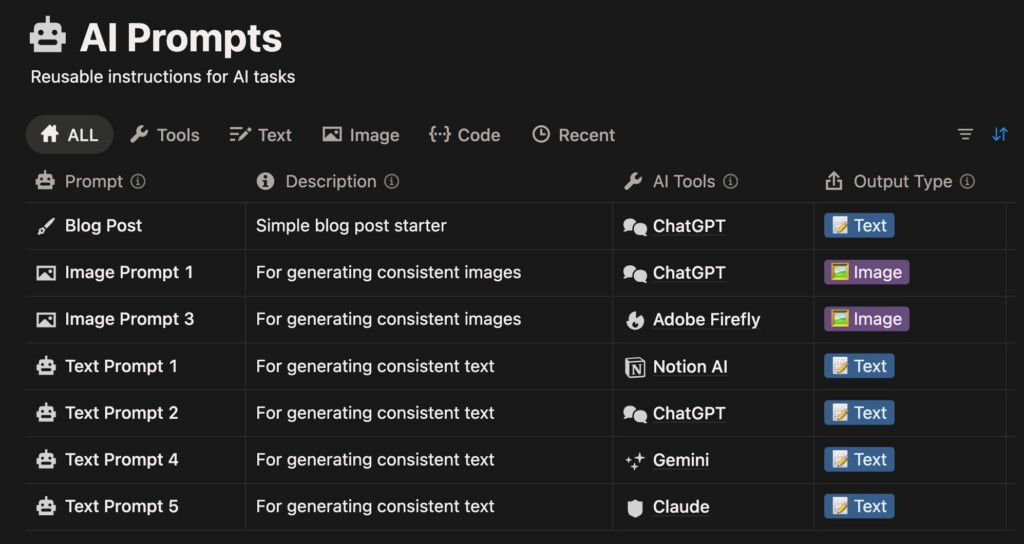
This database stores your prompts along with useful information:
- Which AI tool is the prompt used with
- What the prompt is designed to generate
- Notes about the prompt
- Last updated date
This is the main database for using your prompts, where you’ll manage your prompt library.
AI Tools Database
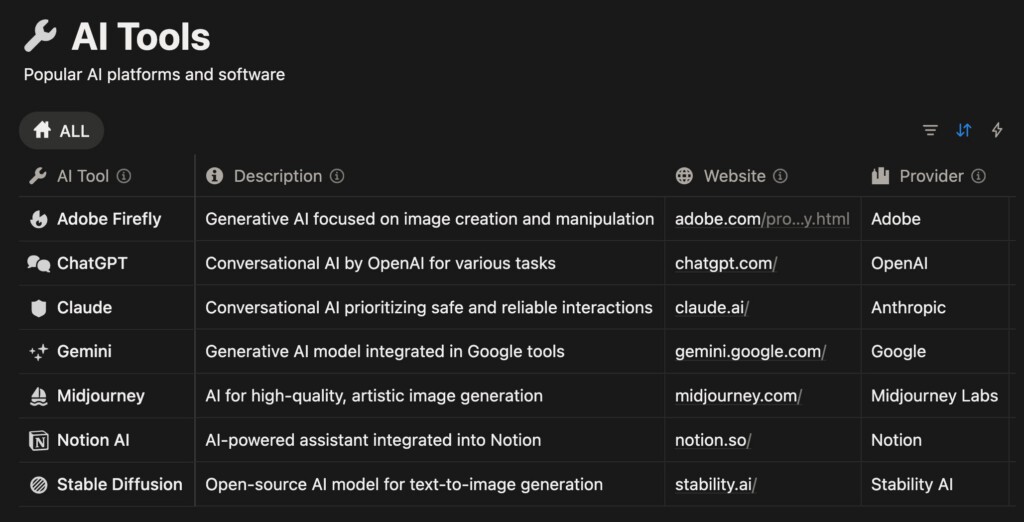
This database references common AI tools used with your prompts. You can include whichever tools you like, but the template comes complete with some popular options.
Examples include:
Prompts can be linked to one or more tools for organizational needs.
Customizing the Template
This template is designed to be flexible for your workflows. You can adjust it to your needs, however you see fit, for managing your prompts.
Common changes include:
- Adding tags or categories
- Creating new filtered views
- Adding new properties to the database
- Linking prompts to projects or tasks
Template Troubleshooting
Here are some solutions to common problems with Notion templates.
Can’t duplicate the template
Make sure you are logged in to your Notion account and that you are viewing the template page in your browser.
The template is duplicated, but looks empty
Some database views may include filters. Try switching to another view to see all entries.
Template Updates
Templates may occasionally receive improvements.
If updates are released, they can usually be added manually to your existing template.
Need Help?
If you run into issues using the template, you can contact support. Please include these details:
- The template name
- A description of the issue
- Screenshots if relevant
I will do my best to troubleshoot further and resolve the issue.