No products in the cart.

Site speed is a critical component of web development and digital marketing. It affects user experience, conversion rates, and even search engine rankings. In this guide, you’ll learn why site speed matters, how to measure it, and ways to optimize it.
What is Site Speed?
Site speed is the time it takes for web pages to be downloaded from hosting servers and displayed in a user’s web browser.
In simpler terms, it represents the total time it takes for a user to open a web page until it is fully loaded and visible to them. That speed quality is then applied to the whole site.
Site speed is crucial as it directly influences a user’s patience, engagement, and overall experience with a website. In a world where instant gratification is often expected, a speedy website ensures users can access the information they need without unnecessary wait times.
Why is Site Speed Important?
How fast your site loads is critical for many factors. Here are some of the main reasons:
- User Experience: The most immediate impact of a slow website is on the user experience. When your site loads quickly, users can find what they’re looking for without unnecessary delays.
- Search Engine Ranking: Google, among other search engines, factors in site speed when ranking websites. A faster website can help improve your search engine rankings, making it easier for potential customers or readers to find you.
- Conversion Rates: If you’re running an e-commerce site or any site where user actions (like signing up or making a purchase) are vital, then speed can significantly affect your bottom line. A delay of even a second can lead to a substantial drop in conversions.
Site Speed Testing Tools
Testing your speed is the first step in ensuring users have a smooth experience. Here, we’ll guide you through tools and methods to measure and analyze your website’s speed, helping you pinpoint areas for improvement. Let’s dive in.
Google PageSpeed Insights

Google offers a free tool called PageSpeed Insights. You enter your website’s URL, and it provides you with a score for both mobile and desktop, along with optimization suggestions.
GTmetrix

Another excellent tool is GTmetrix. It gives a more in-depth analysis of what’s slowing down your website, from images that need compression to scripts that might be causing delays.
WebPageTest
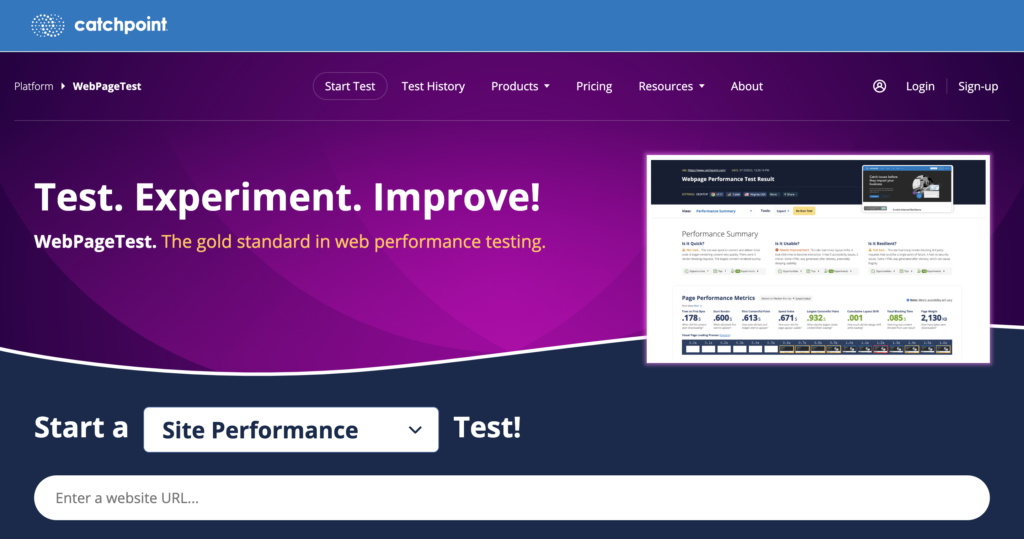
WebPageTest is a bit more technical but offers a detailed view of your site’s speed performance across multiple locations and browsers.
Site Speed vs. Page Speed
While site speed and page speed are often used interchangeably, they refer to distinct aspects of web performance. Understanding the distinction between the two is essential, especially when optimizing for the best user experience and search engine performance.
Site Speed
Site speed refers to a website’s overall performance. It’s an average metric that accounts for the load times of several pages on a site. Think of it as a bird’s-eye view of how swiftly various sections of your website load.
Factors Influencing Site Speed:
- Hosting Environment: The type and quality of your web hosting can significantly affect site speed. Dedicated servers typically offer better performance than shared hosting.
- Website Size: A site with more content, pages, images, and scripts might have a different average speed than a smaller site.
- Content Delivery Network (CDN): Using a CDN, which distributes your site’s content across servers worldwide, can significantly improve site speed, especially for international users.
Page Speed
On the other hand, page speed refers to how quickly a particular web page loads. When someone refers to page speed, they’re usually talking about the performance of an individual URL or page.
Factors Influencing Page Speed:
- Image Size and Format: High-resolution, uncompressed images can drastically reduce page speed.
- Scripts and Plugins: The number and efficiency of scripts (like JavaScript) or plugins on a page can influence its load time.
- External Resources: If a page relies on external sources, such as fonts or third-party widgets, it might load more slowly than a page using only internal resources.
- Caching: Whether a page’s content is cached (stored for quicker future access) can determine how fast it loads for returning visitors.
Often, an issue with one URL, such as a product page template, can cascade from a page speed issue to a site speed issue. Focus on fixing issues in individual pages to speed up the rest of the site, such as removing unnecessary scripts.
How to Improve Site Speed
Try these methods to improve your site’s performance.
- Optimize Images: Use newer formats like WebP to get optimized compression without quality loss. Additionally, tools like Squoosh, TinyPNG, or Compressor.io can reduce image file sizes without compromising visible quality.
- Enable Browser Caching: When a user visits your site, enabling caching means their browser will store parts of your site. So, the next time they visit, it loads faster. You can enable caching through plugins or by editing your site’s .htaccess file. (Consult your developer!)
- Minimize HTTP Requests: The more elements (scripts, images, CSS files) your site has, the more HTTP requests it requires, slowing down your site. Combine CSS files, JavaScript files, and reduce the number of elements where possible.
- Use Content Delivery Networks (CDNs): A CDN is a worldwide network of servers. Users accessing your site are served content from the server closest to them, speeding up load times. Popular CDNs include Cloudflare and Akamai.
- Optimize CSS and JavaScript: Compress and minify your CSS and JavaScript files to speed up your site. Tools like CSS Minifier or JavaScript Minifier can help with this.
- Upgrade Hosting: If you’re on a shared hosting plan, consider upgrading to VPS (Virtual Private Server) or dedicated hosting. This ensures your site isn’t sharing resources with others, leading to faster speeds.
- Implement Lazy Loading: Load images only when they’re visible to the user, then load others as the user scrolls. This can be especially useful for pages with lots of images.
- Reduce Redirects: Each redirect adds to the user’s wait time. By minimizing the number of redirects, you can enhance site speed.
These are some general suggestions, but chances are you’ll get a better idea of what needs work after examining slow pages in testing tools and analyzing results.
Managing Site Speed with Search Console
Google Search Console is a free tool to help website owners monitor and maintain their site’s presence in Google Search results. Its features also provide insights into your website’s performance, including site speed.
How to Access Speed Insights in Search Console
Follow these steps to learn how Google evaluates your site’s speed.
- Log in to Google Search Console: First, verify your website in Google Search Console. If you haven’t done this, follow the instructions to verify your site.
- Go to Page Experience: This is under the Experience section in the left sidebar. If Google has enough data on your site, it will provide insights into various user experience metrics related to site speed.
- Go to Core Web Vitals: Google details two essential speed metrics: Largest Contentful Paint (LCP) and Interaction to Next Paint (INP). These metrics provide insights into loading performance and interactivity.
Taking Action
If you notice your scores aren’t up to par, try these methods:
- Detailed report: Click the specific metric for more details. This report will list the pages that need improvement, giving you a starting point.
- Address the issues: Based on the insights, take the necessary measures to improve your site speed. (See the list above.)
- Regularly Monitor: Site speed isn’t a one-time fix. It’s wise to monitor these metrics as you add new content, plugins, or functionalities to your site.
Bottom Line
Site speed refers to how quickly content on a website loads, directly influencing user experience, search engine rankings, and conversion rates. Site speed refers to a website’s overall performance, factoring in the load times of various pages, while page speed pertains to the load time of a specific page.
Addressing site speed issues using the strategies outlined, such as optimizing images and enabling browser caching, can enhance the user experience and potentially boost search performance.