No products in the cart.

Security is more important than ever, especially online. Whether shopping online, logging into your bank account, or just browsing, you want to know that your information is safe and secure. That’s where HTTPS comes in.
What is HTTPS?
HTTPS stands for “Hypertext Transfer Protocol Secure”. In simple terms, it’s the secure version of HTTP. Think of it as a secure communication protocol used on the internet.
When you see the lock icon in your web browser’s address bar, the data transferred between the web server and your browser is encrypted and should be secure.
HTTP vs HTTPS
To understand the importance, let’s first differentiate it from the non-secure protocol:
- HTTP (Hypertext Transfer Protocol): It’s the foundation of data communication on the Internet. However, it’s not encrypted, so attackers can potentially access or manipulate any data transferred.
- HTTPS: Uses an SSL/TLS certificate to encrypt data, ensuring that any information exchanged between the web server and the browser remains confidential and immune to tampering.
Why HTTPS Matters
You might wonder why there’s so much emphasis on this. Here are a few top reasons:
- Data Encryption: Your data is scrambled into a code during transmission, preventing unauthorized entities from deciphering it.
- Data Integrity: Prevents unauthorized alterations to data during transfer.
- Authentication: Verifies the legitimacy of a website, ensuring you’re not tricked by a fake site that tries to steal your information.
The Lock Symbol
You’ve probably noticed a small lock symbol next to the website URL in your browser’s address bar. Here’s what it looks like in Chrome:

This lock represents that the website is secured with HTTPS. It is vital for brand reputation and letting your users know your site is secure.
If you click on this lock, it provides more details about the site’s security:
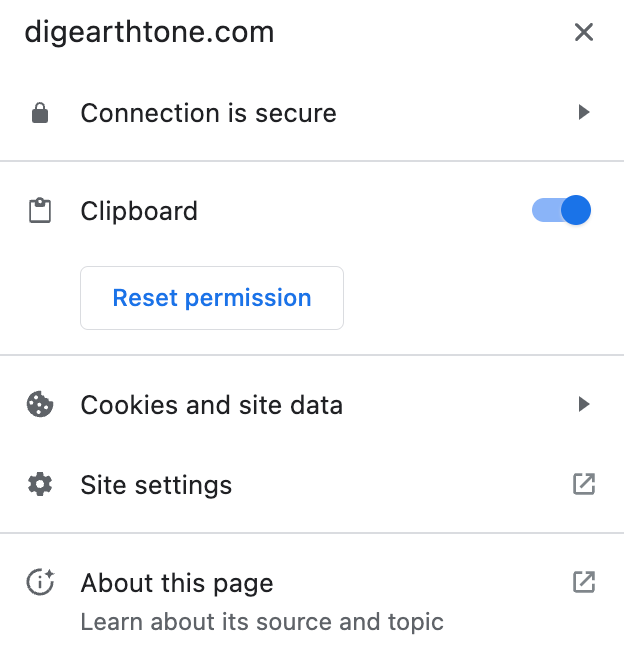
From these options, you can see more about the connection and adjust your preferences with the site, such as cookies and site data.
NOTE: They will be updating this to a different icon because of “the ubiquity of HTTPS” and other UX factors.
How do I get started with HTTPS?
If your site doesn’t already have HTTPS on it (chances are it does), you’ll want to get that set up immediately. While we’d love to give straightforward steps, they will vary greatly depending on your site.
Our general advice is to Google “https [your provider]” or something along those lines that includes “https” and your hosting provider’s name, such as GoDaddy.
There are many hosting providers with different steps to getting set up with HTTPS. As such, their documentation and resources should be the best place to look.
Bottom Line
HTTPS acts as a guardian, ensuring your browsing sessions remain confidential and secure. Using the protocol not only protects sensitive data but also builds trust with your audience. Pretty much gotta have it if you want a good website or business.








